1. What is AI in WordPress?
AI in WordPress refers to using artificial intelligence tools and plugins to automate tasks such as content writing, SEO optimization, image generation, chatbot support, website design, and performance improvements.
2. How can AI help improve a WordPress website?
AI can help improve your WordPress website by creating content faster, optimizing SEO, generating images, improving customer support with chatbots, automating repetitive tasks, and enhancing user experience.
3. Can AI write blog posts directly in WordPress?
Yes, many AI plugins integrate directly with WordPress and can generate blog posts, outlines, titles, meta descriptions, and product content inside the WordPress editor.
4. Which AI tools are commonly used with WordPress?
Popular AI tools for WordPress include ChatGPT integrations, AI Engine, Rank Math AI, Elementor AI, Jasper AI, and image-generation plugins.
5. Is AI good for WordPress SEO?
Yes, AI can help improve WordPress SEO by generating keyword ideas, optimizing meta tags, improving readability, creating content briefs, and analyzing competitor content.
6. Can AI generate images for WordPress websites?
AI tools can generate custom images, blog graphics, banners, logos, and website visuals directly within WordPress using AI image-generation features.
7. Are AI WordPress plugins beginner-friendly?
Most modern AI plugins are designed for beginners and offer easy setup processes, dashboards, and guided workflows without requiring coding knowledge.
8. Can AI create a complete WordPress website?
Yes, AI-powered website builders can help generate layouts, write content, create pages, and assist with design customization for WordPress websites.
9. Does using AI in WordPress require coding skills?
No, many AI tools for WordPress work through plugins and visual interfaces, allowing non-technical users to use AI features without coding experience.
10. Can AI improve customer support on WordPress sites?
Yes, AI chatbots can answer customer questions, provide instant support, collect leads, and improve engagement on WordPress websites.
11. Is AI-generated content safe for SEO?
AI-generated content can be safe for SEO if it is edited, fact-checked, and optimized for user intent. Human review is still important to maintain quality and accuracy.
12. Can AI help with WooCommerce stores?
Yes, AI can help WooCommerce stores by generating product descriptions, automating customer support, recommending products, and improving marketing campaigns.
13. Are there free AI plugins available for WordPress?
Yes, several WordPress AI plugins offer free versions with limited features, while premium plans provide advanced automation and content tools.
14. Can AI translate WordPress content into multiple languages?
Many AI tools can automatically translate WordPress content into different languages, helping businesses reach global audiences.
15. What are the risks of using AI in WordPress?
Possible risks include inaccurate content, over-automation, duplicate content, plugin conflicts, and reduced content quality if AI output is not reviewed manually.
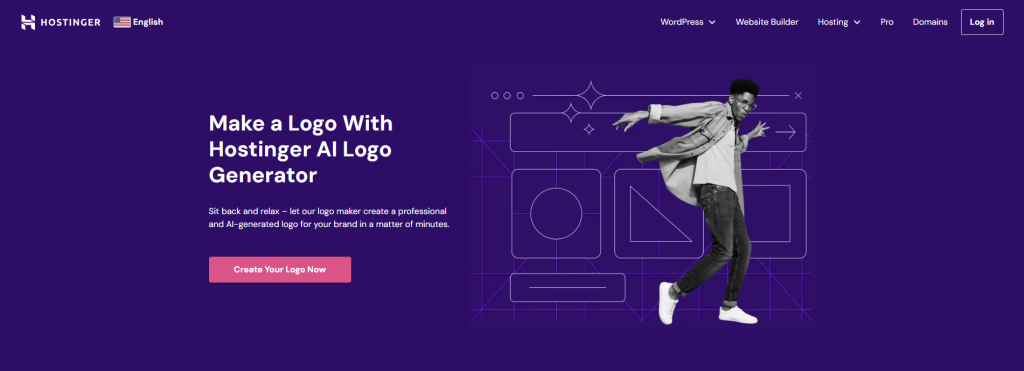
- Go to the Hostinger AI Logo Maker homepage and select Create Your Logo Now.
- Log in to your Hostinger account.
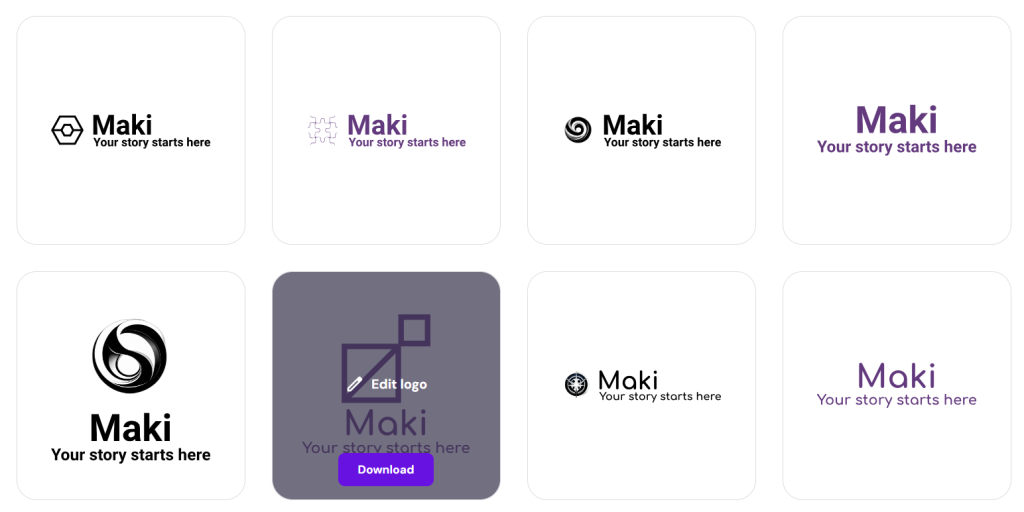
- Open the Create with AI tab, then briefly describe your brand and pick the desired style. Hit Create once you’re ready.

- After the tool has finished generating multiple options, hover over the one you like most and click Edit logo.
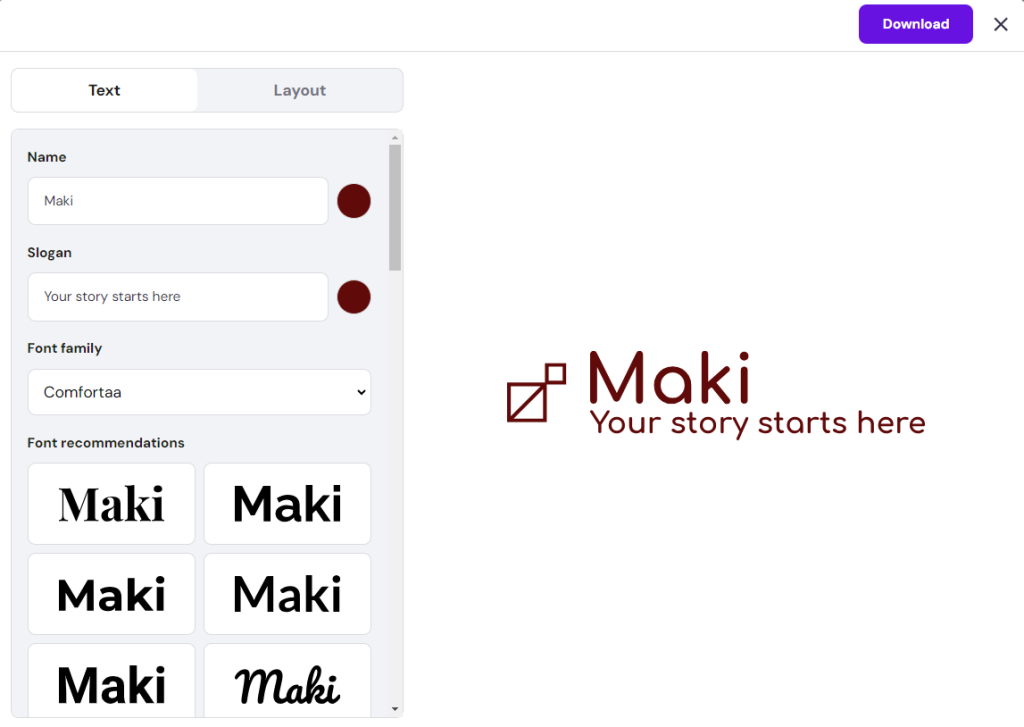
- Adjust the spacing, icon size, slogan, and font style as needed. Once you’re happy with how the logo looks, hit Download to save the file.
Alternatively, see our guide on creating website visuals with DALL-E, an OpenAI tool that generates images from text descriptions.
4. Improve search engine optimization
Besides helping with content production, AI can improve your SEO by automating and streamlining key tasks like keyword research and content optimization. You can even use AI tools to analyze your competitors’ SEO strategies and enhance technical SEO by monitoring page speed.
As SEO is an ongoing process, AI can save time and money by analyzing large amounts of data and identifying trends to help you make sound decisions. It’s especially helpful for WordPress website owners who are new to SEO and don’t have the budget to commission an expert.
Here are some of the best AI SEO tools we tested:
- Rank Math SEO ‒ best for on-page keyword optimization and website performance analysis.
- AIOSEO ‒ a popular WordPress plugin that can produce SEO titles, meta descriptions, and XML sitemaps to help search engine crawlers understand your website content better.
- MarketBrew ‒ forecasts pages’ search engine ranking before publishing based on Google Analytics data, keywords, and organic traffic trends.
- KeywordInsights ‒ compiles keyword ideas tailored to the chosen location and language for easier content planning.
Most AI SEO tools support integration with WordPress’ block editor. For example, Rank Math SEO analyzes your content as you write, offering suggestions to enhance its SEO and readability.
5. Troubleshoot WordPress issues
For non-technical users, AI can help identify issues within their WordPress site and recommend solutions quickly. AI tools check error logs, track website performance, and spot unusual activities that could signal problems, such as plugin conflicts and security risks.
Automating these checks with AI reduces downtime and speeds up troubleshooting, allowing you to save on developer fees while ensuring a consistent user experience.
Hostinger offers WordPress AI Troubleshooter to users on WordPress web hosting and other more advanced plans. This in-house AI feature catches errors like 403, 404, 500, 503, as well as the “There has been a critical error on your website” message, and helps you resolve them.
Other excellent AI-powered WordPress plugins for troubleshooting include Screaming Frog SEO Spider and Plugin Detective. The former crawls websites for broken links, duplicate content, and incorrect redirects, while the latter identifies and troubleshoots plugin-related issues efficiently.
6. Generate custom codes and check code quality
As coding requires precise attention to detail, AI tools can improve developers’ efficiency and work quality. Many AI-powered developer tools can generate custom codes based on specific project requirements, improve code quality, and even catch and fix errors.
You can consult your WordPress codes with AI chatbots like ChatGPT and Gemini. For specific tasks like troubleshooting and code analysis, check out these AI tools to boost productivity:
- CodeWP ‒ generates PHP, JavaScript, WooCommerce, and WordPress code snippets from simple prompts.
- Snyk ‒ analyzes codes for security vulnerabilities and license compliance issues.
- Figstack ‒ translates code functions into various human and programming languages.
- Mutable.ai ‒ automates documentation updates and forecasts potential errors to improve testing efficiency.
These AI tools often use chatbots to communicate with website visitors. For example, with CodeWP, simply pick the mode and preset as the base parameters, then describe the purpose of the code you want to generate. The process takes seconds to complete.
7. Protect your website from spam
Websites with comment or review sections, contact forms, and message boards are prone to spam comments. If left unchecked, they can hurt your website’s reputation and user experience.
AI-powered spam checker plugins can save time on manual moderation. Using machine learning algorithms, they spot spam signs, like unusual phrasing and specific keywords, and adapt to new spam techniques to improve accuracy over time.
Consider using AI plugins for spam protection, such as:
- Akismet ‒ built by WordPress developers, this popular WordPress plugin has one of the largest spam databases in the industry for maximum accuracy.
- Antispam Bee ‒ a free WordPress plugin that lets you block spam comments by country and language.
- CleanTalk ‒ filters spam comments, registrations, polls, and orders for WordPress and WooCommerce websites.
AI anti-spam plugins usually have an easy setup process with customizable settings to flag or automatically delete spam content. Some tools provide detailed reports and statistics on blocked comments and users, helping website administrators track potential spam activities more efficiently.
Akismet, for example, highlights the number of flagged spam messages in the dashboard widget for easier access. See our guide on setting up Akismet for anti-spam protection.
8. Translate your website
Making your WordPress website multilingual is another effective method when improving SEO and user experience. If language barriers keep you from expanding your audience reach, AI can help with that, too.
Various AI translation plugins are ready to translate your WordPress site content into different languages in real time. They use machine learning algorithms to ensure the content’s context and tone aren’t lost in translation, making it accessible to an international audience.
TranslatePress, for example, uses AI to automate slug, gettext, and email translation. It can also generate translations for different user roles, which is one of its premium features.
Check out these top AI-powered WordPress plugins for translation:
- Weglot ‒ supports over 100 languages with an intuitive visual translation editor for previewing the website’s front-end.
- TranslatePress ‒ allows you to translate directly from the front-end and make separate translations for logged-in and visiting users.
- GTranslate ‒ supports URL translation and search engine indexing for translated pages.
- Translate WordPress ‒ developed by GTranslate developers, it can localize images and support language hosting for better local search rankings.
9. Optimize images and improve accessibility
Websites with many visuals can lose potential visitors if the images aren’t optimized and accessible. Furthermore, unoptimized images tend to load slowly, affecting your user experience and SEO
Image compression tools incorporate AI to automate the process without compromising quality. Certain WordPress AI plugins can add alt texts, adjust color contrast, and improve the brightness of images for users with visual impairments and screen reader reliance.

Here are some of the best WordPress AI plugins to optimize images:
- Smush ‒ helps with WordPress image optimization aspects like resizing, lossless and lossy compression, and automatic WebP conversion.
- Alt Text AI ‒ automatically adds alt texts for images in various languages and enables custom ChatGPT prompts to modify the produced text.
- ShortPixel ‒ allows background processing for faster bulk image optimization, which is useful for WordPress sites with an extensive media library.
- Optimole ‒ offers machine learning-powered automatic compression based on visitors’ devices.
10. Enable chatbots
For better customer support, use AI to add chatbots to your WordPress site. AI-powered chatbots can increase user engagement by offering personalized experiences. They can handle multiple conversations at once, freeing up human agents to deal with more complex issues.
From the business side, AI chatbots can help capture potential leads and provide valuable data for market research. You can scale your customer support team to offer 24/7 service without hiring more staff or increasing operational costs.
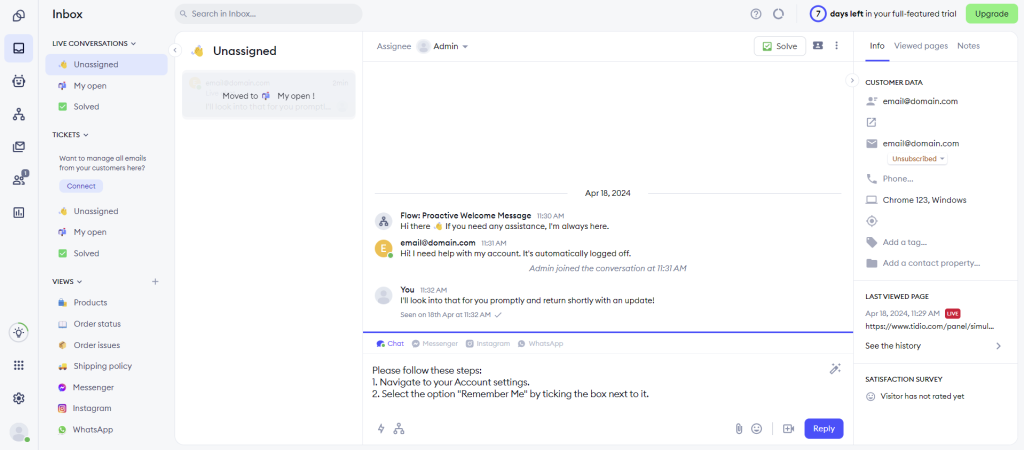
Check out these top AI chatbot tools to improve customer relationships:
- Tidio ‒ can formulate complex answers from FAQs and knowledge base resources to solve customers’ problems.
- Zendesk ‒ offers self-help options by suggesting relevant articles through various channels.
- Chatsonic ‒ comes with an AI content creator, translation capabilities, and voice command support.
- LivePerson ‒ builds custom AI-powered chatbots that integrate with back-end systems like scheduling tools and payment processing.
11. Add a voice search to your site
As more users turn to voice commands for internet searches, optimizing your WordPress website for voice search can increase its ranking for conversational queries. With NLP, AI tools analyze how users phrase questions verbally to optimize website content with relevant long-tail keywords.
For local voice searches, AI uses geographic data and user behavior to improve location-based queries. As a result, you have a better chance of ranking for local searches.
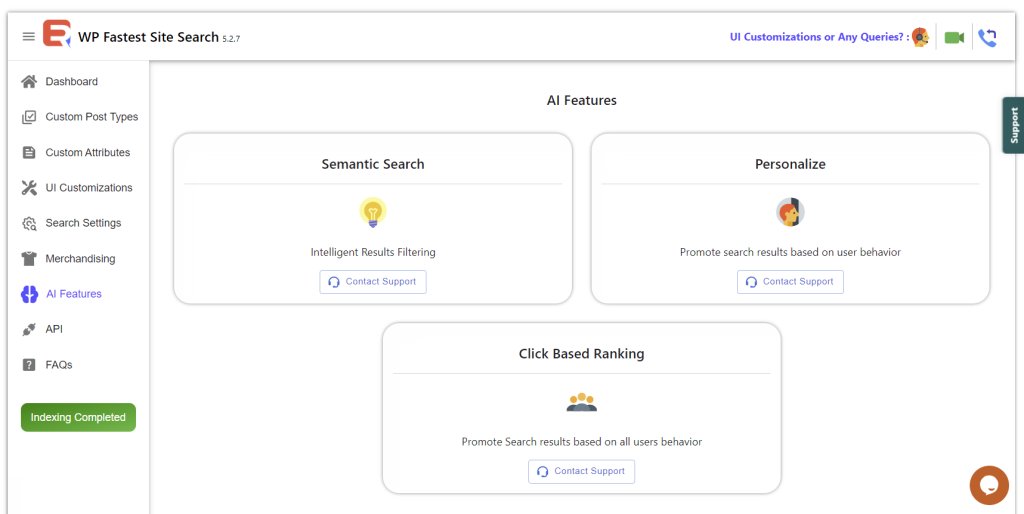
WP Fastest Site Search is one of the best WordPress plugins for voice search optimization. It offers AI-powered features to accommodate personalized search with smart semantic filtering.
After creating an account, configure the WordPress AI plugin’s indexing process and search settings. You can even set up search redirects and synonyms to improve user experience.